视角变换
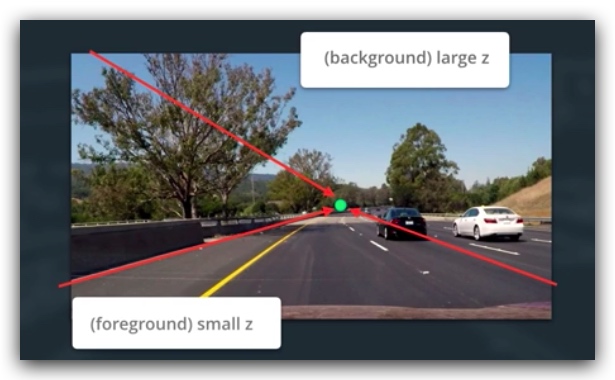
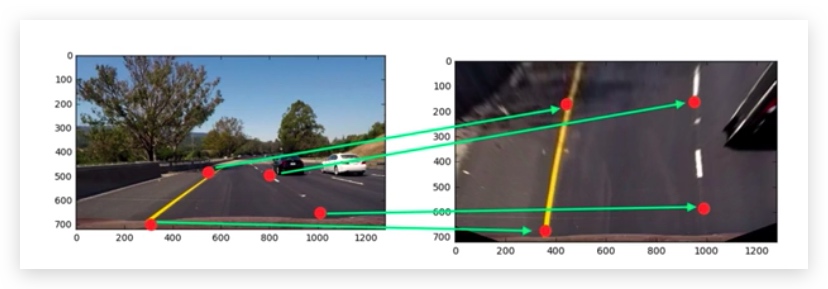
变换的方法和正畸算法类似,但是正畸算法是将标准对象点变换到图像上,而透视变换是将一种视角的图像上的兴趣点,变换到目标视角图像上。通过这种变换我们可以更好的从图片中获取我们关注的信息。
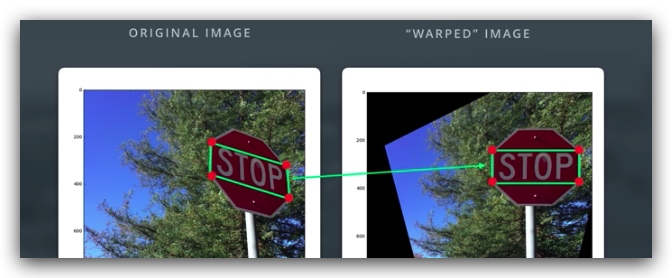
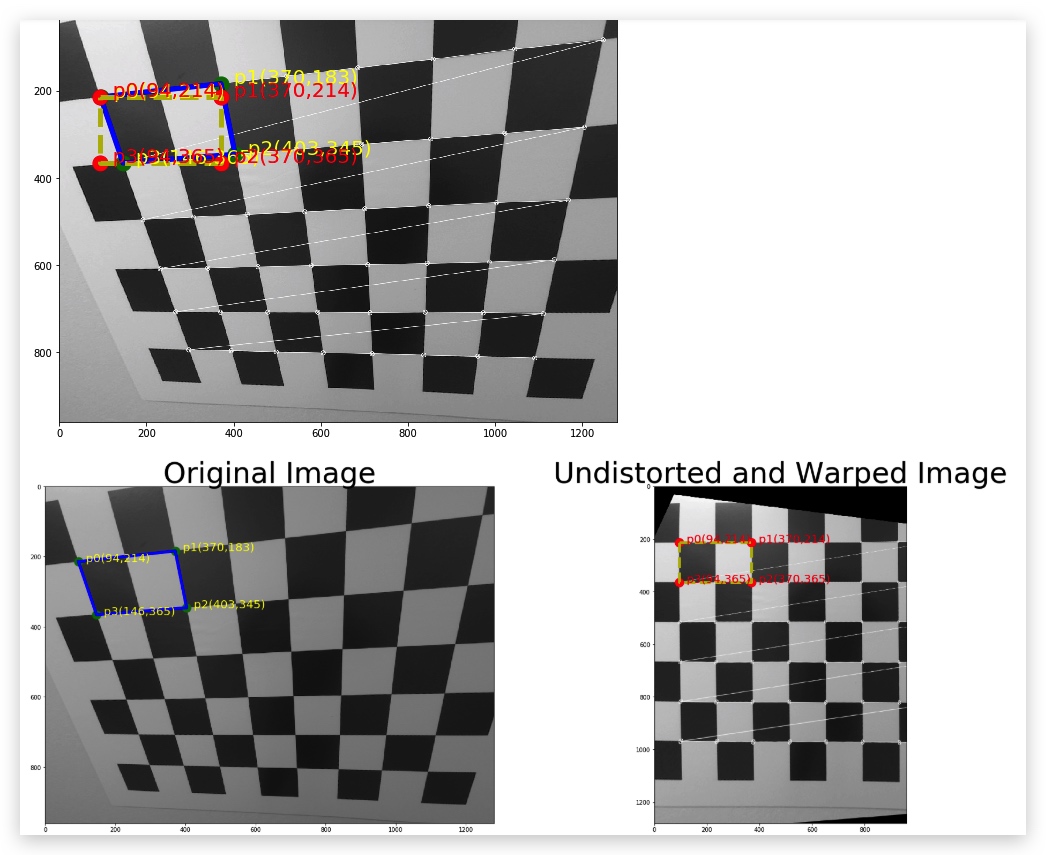
进行线性变换,我们只需要在两张图片中各选取四个点,分别构建一个平面,然后计算变换矩阵,进行变换。
注意:有很多自动选点算法,比如利用边缘和端点等
- 基于源和目的图像的四个点,计算变换矩阵M
M = cv2.getPerspectiveTransform(src, dst)
- 计算逆矩阵(用于恢复)
Minv = cv2.getPerspectiveTransform(dst, src)
- 变换视角
warped = cv2.warpPerspective(img, M, img_size, flags=cv2.INTER_LINEAR)
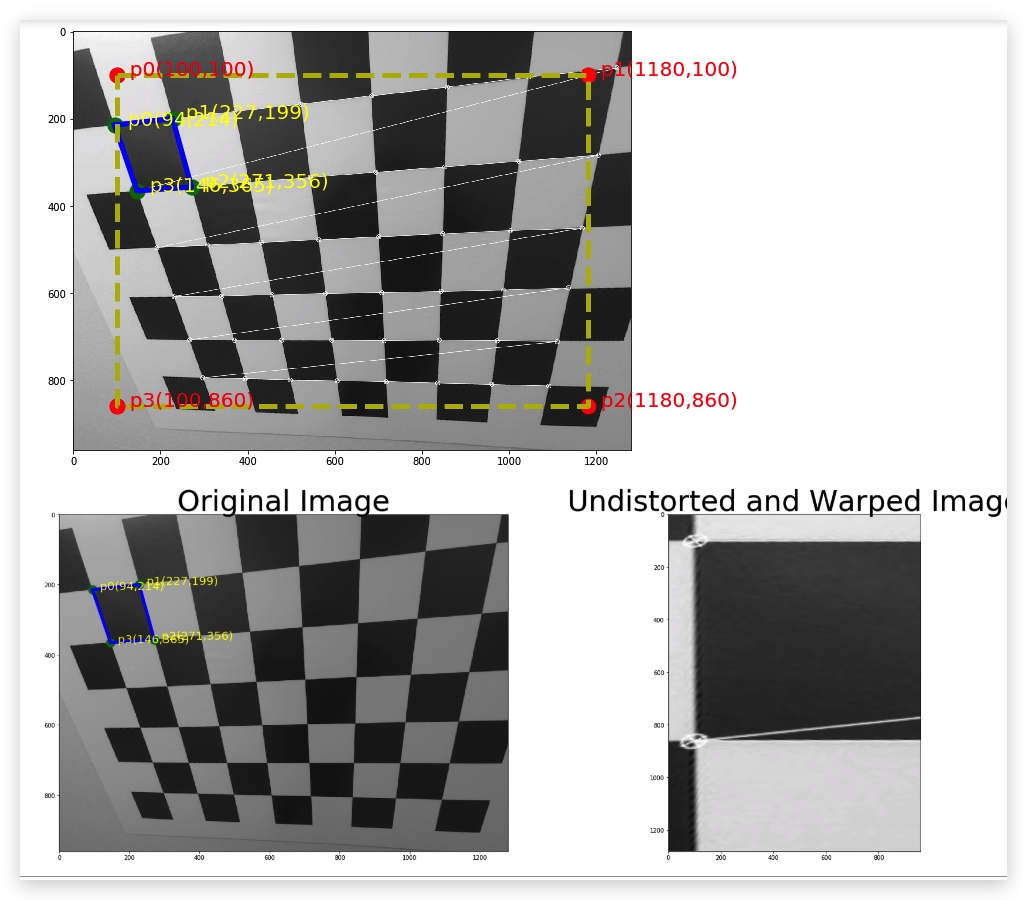
_img = cv2.imread("./calibration_wide/dst.jpg")

nx = 8 # the number of inside corners in x
ny = 6 # the number of inside corners in y


def draw_poly(points,p_color,l_color,text_color,ax=None,fontsize=30):
    xx = []
    yy = []
    for index,v in enumerate(points):
        for x,y in v:
            if ax:
                ax.annotate("  p{0}({1},{2})".format(index,int(x),int(y)),(x,y),fontsize=fontsize,color=text_color)
                ax.plot(x,y,p_color,markersize="30")
            else:
                plt.annotate("  p{0}({1},{2})".format(index,int(x),int(y)),(x,y),fontsize=fontsize,color=text_color)
                plt.plot(x,y,p_color,markersize="30")
            xx.append(x)
            yy.append(y)

    xx.append(xx[0])
    yy.append(yy[0])
    if ax:
        ax.plot(xx,yy,l_color,lw=5)
    else:
        plt.plot(xx,yy,l_color,lw=5)


def corners_unwarp(img, nx, ny):
    # Pass in your image into this function
    # Write code to do the following steps
    # 1) Undistort using mtx and dist
    # 2) Convert to grayscale
    # 3) Find the chessboard corners
    # 4) If corners found:
            # a) draw corners
            # b) define 4 source points src = np.float32([[,],[,],[,],[,]])
                 #Note: you could pick any four of the detected corners
                 # as long as those four corners define a rectangle
                 #One especially smart way to do this would be to use four well-chosen
                 # corners that were automatically detected during the undistortion steps
                 #We recommend using the automatic detection of corners in your code
            # c) define 4 destination points dst = np.float32([[,],[,],[,],[,]])
            # d) use cv2.getPerspectiveTransform() to get M, the transform matrix
            # e) use cv2.warpPerspective() to warp your image to a top-down view
    #delete the next two lines
    _gray = cv2.cvtColor(_img,cv2.COLOR_BGR2GRAY)
    ret, corners = cv2.findChessboardCorners(_gray, (COL,ROW), None)
    #print(corners)
    dst_with_corner = cv2.drawChessboardCorners(_gray,(COL,ROW),corners,ret)

    src_point = np.float32([corners[0],corners[2],corners[10],corners[8]])
    plt.figure(figsize=(20,20))
    plt.imshow(dst_with_corner,cmap="gray")
    draw_poly(src_point,".g","-b","yellow")
    #print(src_point)

    #offset = 100
    #dst = np.float32([[offset, offset], [img_size[0]-offset, offset], [img_size[0]-offset, img_size[1]-offset], [offset, img_size[1]-offset]])
    dst_point = np.float32([[[94,214]],[[370,214]],[[370,365]],[[94,365]]])
    #dst_point = np.float32([[corners[0][0]],[[corners[0][1][0],214]],[[370,365]],[[94,365]]])
    #print(corners[0])
    #print(dst_point)
    draw_poly(dst_point,".r","--y","red")

    M = cv2.getPerspectiveTransform(src_point, dst_point)
    warped = cv2.warpPerspective(_gray, M, _gray.shape, flags=cv2.INTER_LINEAR)

    return warped, M,src_point,dst_point

top_down, perspective_M,src_point,dst_point= corners_unwarp(_img, nx, ny)
f, (ax1, ax2) = plt.subplots(1, 2, figsize=(24, 9))
f.tight_layout()

draw_poly(src_point,".g","-b","yellow",ax1,fontsize=20)
ax1.imshow(_img,cmap="gray")
ax1.set_title('Original Image', fontsize=50)

draw_poly(dst_point,".r","--y","red",ax2,fontsize=20)
ax2.imshow(top_down,cmap="gray")
ax2.set_title('Undistorted and Warped Image', fontsize=50)
plt.subplots_adjust(left=0., right=1, top=0.9, bottom=0.)
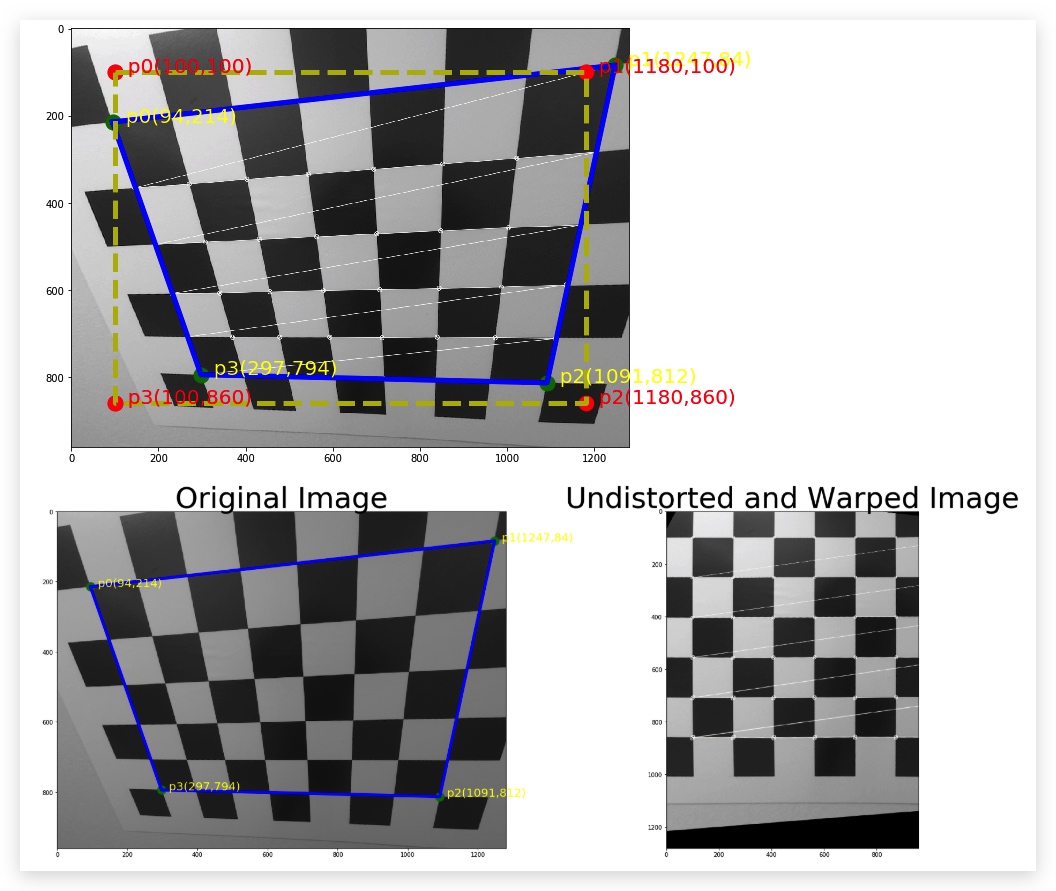
如果比例相差太大,会产生缩放的效果