相机模型
针孔相机(无畸变)
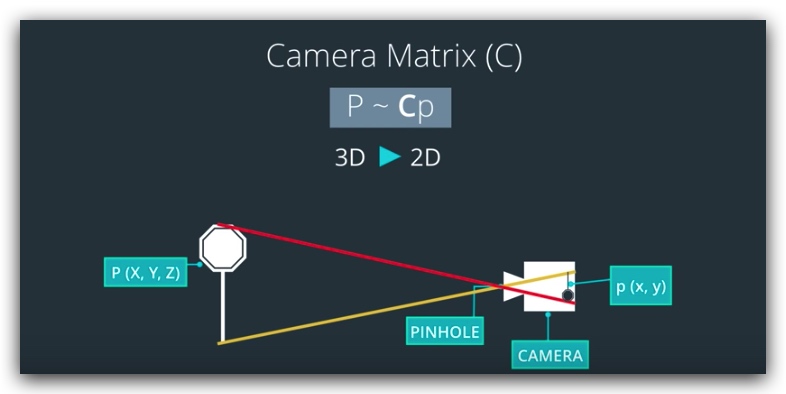
镜头相机(有畸变)
径向畸变 镜头导致的光线弯曲
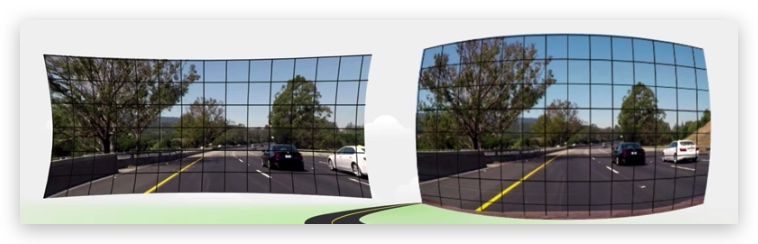
切向畸变 胶片与传感器屏幕不平行导致
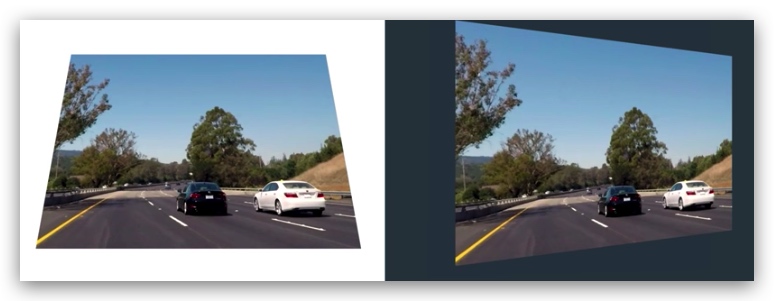
畸变系数和矫正
原理
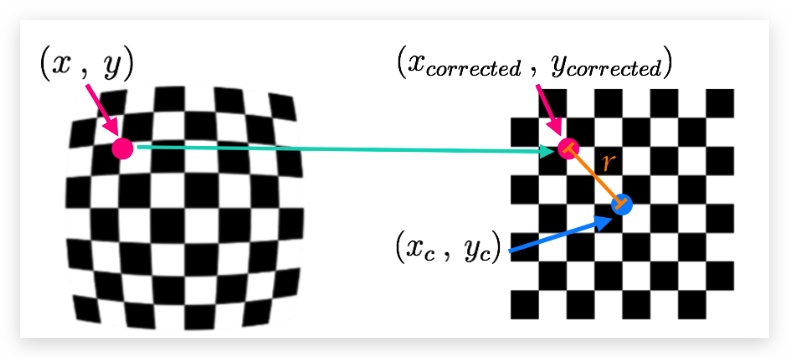
- 计算无畸变图像上一个点到图像中心点的距离r
- c = [k1, k2, p1, p2, k3]
- k3 用于矫正广角镜头,不需要时可以忽略
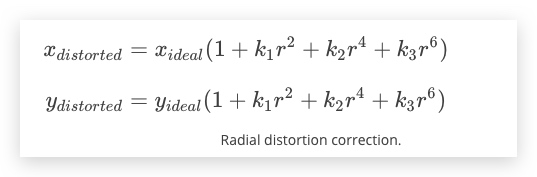
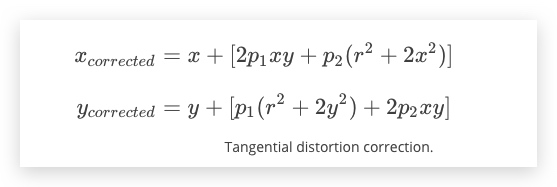
函数
| 功能 | 函数 | 返回值 |
|---|---|---|
| cv2.findChessboardCorners() | 查找棋盘格角点 | |
| cv2.drawChessboardCorners() | 绘制棋盘格角点 | |
cv2.findChessboardCorners() |
objpoints 标准棋盘格 imgpoints
步骤
- 读取图像转换为灰阶
- 查找角点、绘制角点
ret, corners = cv2.findChessboardCorners(gray, (8,6), None) - 校准相机
ret, mtx, dist, rvecs, tvecs = cv2.calibrateCamera(objpoints, imgpoints, gray.shape[::-1], None, None) - 去畸变
dst = cv2.undistort(img, mtx, dist, None, mtx)
%matplot qt
练习
https://github.com/udacity/CarND-Camera-Calibration
import cv2
import numpy as np
import matplotlib.pyplot as plt
import matplotlib.image as mpimg
import glob
import pickle

%matplotlib inline

COL = 8
ROW = 6

fname = "test_image2.png"

filenames = glob.glob(r"./calibration_wide/GOPR*.jpg")
test_image = cv2.imread(r"./calibration_wide/test_image.jpg")


objpoints = []
imagepoints = []
objp = np.zeros((ROW*COL,3),np.float32)
objp[:,:2] = np.mgrid[0:8,0:6].T.reshape(-1,2)

def calib_camera(src):
    for filename in filenames:
        print(filename)
        img = cv2.imread(filename)
        gray = cv2.cvtColor(img, cv2.COLOR_BGR2GRAY)
        ret, corners = cv2.findChessboardCorners(gray, (COL,ROW), None)
        if ret == True:
            objpoints.append(objp)
            imagepoints.append(corners)

    ret, mtx, dist, rvecs, tvecs = cv2.calibrateCamera(objpoints, imagepoints, gray.shape[::-1], None, None)
    distort_img_gray = cv2.cvtColor(src, cv2.COLOR_BGR2GRAY)
    dst = cv2.undistort(distort_img_gray, mtx, dist, None, mtx)

    print("finished")
    return dst


src_img = cv2.imread("./calibration_wide/GOPR0050.jpg")
dst = calib_camera(src_img)

plt.figure(figsize=(30,30))
plt.subplot(1,2,1)
plt.imshow(src_img,cmap="gray")
plt.subplot(1,2,2)
plt.imshow(dst,cmap="gray")
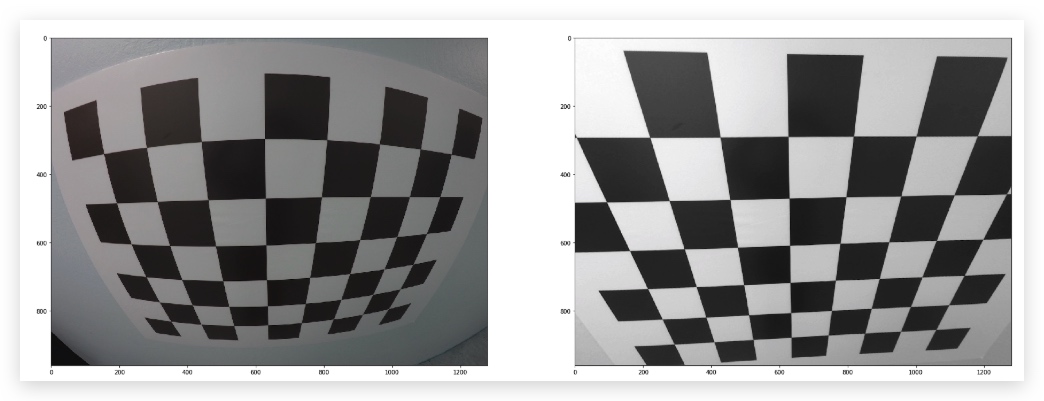 
A note on image shape
The shape of the image, which is passed into the calibrateCamera function, is just the height and width of the image. One way to retrieve these values is by retrieving them from the grayscale image shape array gray.shape[::-1]. This returns the image width and height in pixel values like (1280, 960).
Another way to retrieve the image shape, is to get them directly from the color image by retrieving the first two values in the color image shape array using img.shape[1::-1]. This code snippet asks for just the first two values in the shape array, and reverses them. Note that in our case we are working with a greyscale image, so we only have 2 dimensions (color images have three, height, width, and depth), so this is not necessary.
It's important to use an entire grayscale image shape or the first two values of a color image shape. This is because the entire shape of a color image will include a third value -- the number of color channels -- in addition to the height and width of the image. For example the shape array of a color image might be (960, 1280, 3), which are the pixel height and width of an image (960, 1280) and a third value (3) that represents the three color channels in the color image which you'll learn more about later, and if you try to pass these three values into the calibrateCamera function, you'll get an error.